AI makeup apps fall into four distinct categories: filter apps that simply paint makeup over your camera feed, AR virtual try-on apps that overlay specific products on your face in real time, AI analysis apps that evaluate your coloring and recommend shades, and AI look generation apps that propose personalized looks built for your features, sometimes with a tutorial to match. Each solves a different problem. Knowing which category you are dealing with helps you set realistic expectations and pick the right tool for what you actually need.
Four Types of AI Makeup App (and Why the Differences Matter)
The term "AI makeup app" gets applied to a remarkably wide range of products. An app that digitally pastes a lipstick shade onto your selfie and an app that analyzes your 12-season color profile are both called AI makeup apps, but they do fundamentally different things. Lumping them together is why so many people download one type expecting another and end up disappointed.
Here is a clear breakdown of all four categories.
| App Type | What It Does | Best For | Examples |
|---|---|---|---|
| AI Filter | Paints decorative makeup effects over your camera feed for photos or video | Entertainment, social media content, casual selfies | Snapchat, TikTok, Instagram filters |
| AR Virtual Try-On | Overlays specific product colors on your face in real time using facial landmark detection | Previewing specific products before buying | YouCam Makeup, Maybelline Virtual Try-On, L'Oreal |
| AI Analysis | Uses machine learning to evaluate your coloring and features, then recommends shades or a color season | Understanding your coloring and getting shade guidance | Dressika, Colorwise.me |
| AI Look Generation | Builds a personalized eye look for your face shape, eye shape, and color season, with a tutorial to replicate it | Discovering eye makeup that suits your features and learning how to apply it | BeautySpark |
AI Filter Apps
AI filter apps are the simplest category and, despite the name, barely qualify as "AI" in any meaningful sense. These are the makeup filters you see on Snapchat, TikTok, and Instagram. They use basic face tracking to paint decorative effects onto your camera feed: a winged liner, a flash of blush, a lipstick shade, sometimes a full rendered look. The result is designed to look flattering in a photo or video clip.
Filter apps do not analyze your features, evaluate your coloring, or recommend anything. They are not trying to. A makeup filter is a fun visual effect, not a product recommendation or a technique guide. People confuse this category with "real" AI makeup apps because the surface result looks similar: you see makeup on your face that was not there before. The difference is that a filter is disposable entertainment, while the other categories are tools that produce takeaway guidance you can use when you pick up a brush.
Filter apps are worth mentioning here only because the confusion between them and genuine AI analysis tools is so common. If an app exists mainly for content creation or selfie enhancement, it belongs here.
AI filter apps are entertainment tools. They do not analyze, recommend, or teach. Treat them that way.
AR Virtual Try-On Apps
AR virtual try-on apps use facial landmark detection to map your face in real time and overlay product colors onto specific areas. Hold your phone up, select a lipstick shade from a brand's catalog, and the app is supposed to show you how that exact shade looks on your face. Move your head and the overlay moves with you.
The category exists to address a real problem: buying a product online without being able to test it first. Beauty brands have adopted it widely because it aims to reduce purchase hesitation. YouCam Makeup, Maybelline's virtual try-on tool, and L'Oreal's ModiFace-powered experiences are common examples.
The key limitation is that AR try-on does not analyze your features or tell you what will suit you. It shows you what a specific product looks like overlaid on your face, but it does not evaluate whether that shade complements your undertone, harmonizes with your color season, or flatters your eye shape. You still have to make that judgment call yourself. Think of it as a digital version of swatching at a makeup counter: useful for confirming a choice but not for guiding you toward the right choice in the first place.
AR try-ons also cannot be trusted completely. Our own team has tested overlays that looked perfect on screen, only to find the real product landed differently on skin once it arrived. Surface textures, lighting in the room, the finish of the formula, and the small differences between a rendered swatch and actual pigment all add up. AR can simplify the shortlist, but the final swatch on your own wrist still tells the truer story.
AR virtual try-on apps are the most widely available category and work best as a rough filter before buying, not as a guarantee that a shade will look the same in real life.
AI Analysis Apps
AI analysis apps go a step further by actually evaluating your features rather than just overlaying products onto them. These apps use machine learning models trained on facial image datasets to interpret your coloring. What they measure varies widely between products. Some look only at surface skin tone. Some try to place you into one of the classical color seasons. More sophisticated systems weigh multiple dimensions at once, including value, chroma, and the interplay between your skin, eyes, and hair. Lumping all of this under a tidy "warm, cool, or neutral" label misses how much range the category actually covers.
Dressika and Colorwise.me are two commonly cited examples. Both will take a selfie and return a color season result with suggested shades, but they do not work identically and they do not produce equally reliable output. Different algorithms, different training data, and different philosophies about how much to weight each feature mean two apps can analyze the same photo and disagree. Discovering that you are a Soft Summer rather than a generic "cool-toned" type can genuinely change the way you look at every product, but only if the analysis you were handed was accurate in the first place.
The second limitation is that most analysis apps stop at the analysis stage. They tell you what season you are and which general shades suit you, but they do not show you a wearable look on your actual face. There is a gap between "you are a Soft Autumn, so choose warm muted tones" and "here is exactly how to build an eye look using the palettes you own right now." Analysis apps fill the first half of that gap, rarely the second.
AI analysis apps are excellent for understanding your coloring, but not all of them use the same algorithm or produce equally trustworthy results, and most do not bridge the gap between knowing your season and knowing what to do with it.
AI Look Generation Apps
AI look generation is the newest and most ambitious category, though the label covers a narrow and uneven set of products rather than a single standard. The common thread is that these apps try to do more than describe your coloring. They build a look for you and show you how to wear it. What exactly gets generated, and how personal it really is, depends entirely on the app. Some focus on full face renders. Others stay in a specific zone, such as the eyes, and go much deeper on the tutorial side.
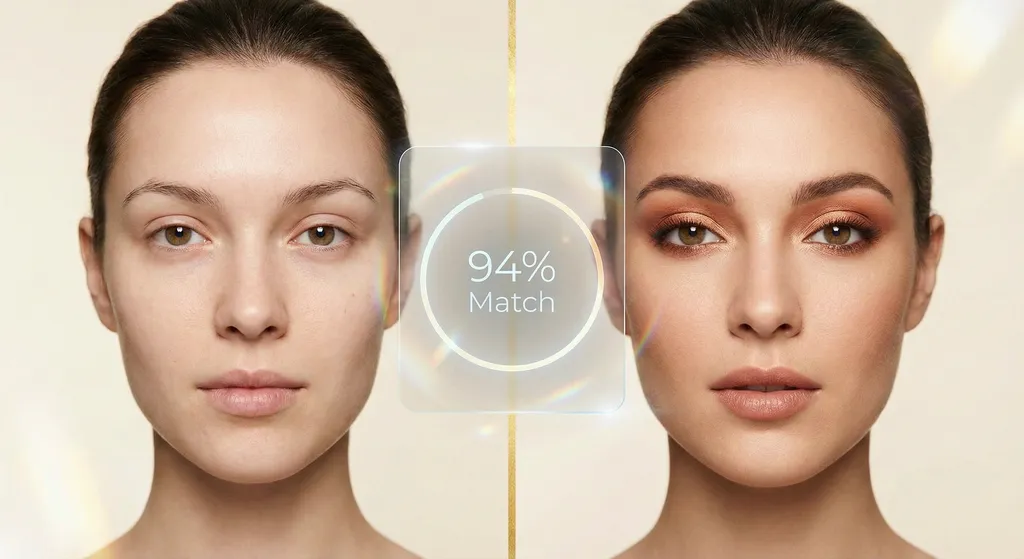
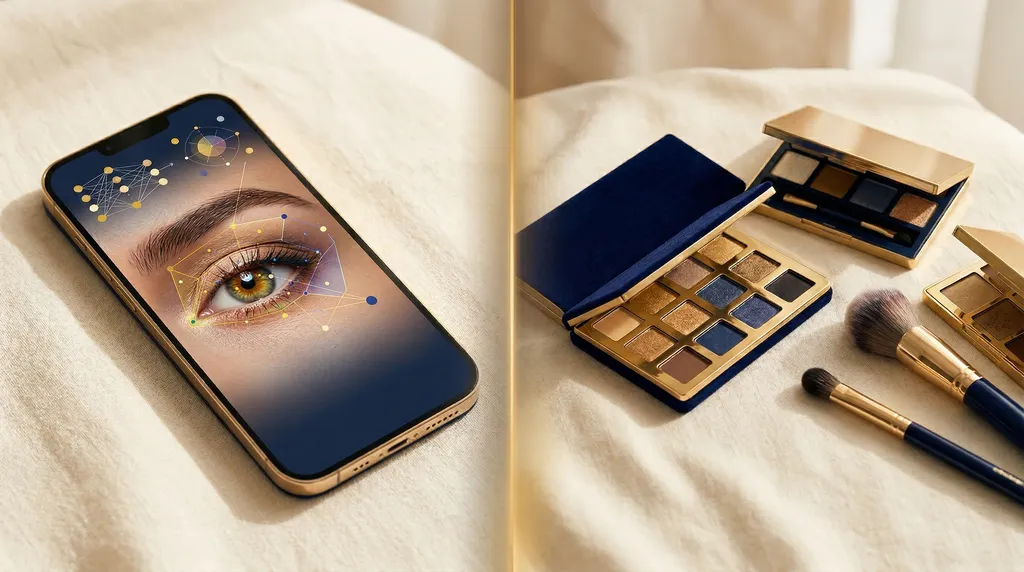
BeautySpark sits firmly in the eye-makeup lane. After you upload a selfie, the app analyzes your face shape, eye shape, skin tone, undertone, and color season, then generates an eye makeup look tuned to those specific features. If you scan your own eyeshadow palettes into the app, it draws only from shades you already own. Every look comes with a match score and a detailed tutorial with eye-shape-specific placement guidance, so you are not just looking at a pretty render, you are being walked through how to recreate it on your own face.
For a deeper look at what the personalized look generation process involves, the AI makeup app personalized looks guide walks through each step in detail.
The limitation of this category is its relative novelty and the variability within it. Fewer apps currently offer true look generation, the technology is still maturing, and the depth of the experience differs sharply between products. Results depend heavily on selfie quality, and not every app in this category handles every skin tone equally well.
AI look generation apps are the most powerful category for turning analysis into a wearable result, but the quality and scope of what they generate varies enough that the category name alone does not tell you what you will actually get.
Try BeautySpark: get your first personalized eye look in under 5 minutesHow AI Makeup Technology Actually Works
Understanding the mechanics behind AI makeup apps helps you know what to expect and how to get better results. The good news is that the core technology is not as mysterious as the marketing language often makes it sound.
Facial Landmark Detection
Every category of AI makeup app starts with facial landmark detection: a technique that identifies specific points on your face, typically 68 or more, marking the corners of your eyes, the edges of your lips, your jawline, brow arches, and so on. These landmarks are the foundation for everything else. AR try-on apps use them to position product overlays precisely. Analysis and look generation apps use them to measure distances, proportions, and shapes.
Modern landmark detection runs in real time on a smartphone, which is why AR try-on apps can track your face smoothly as you move. The accuracy of landmark detection in varied lighting conditions has improved dramatically over the past few years, though it still performs best in even, diffuse light.
Color Analysis Algorithms
Color analysis involves more than detecting a hex value from your skin. Robust AI color analysis maps your skin tone across multiple dimensions: the surface hue (what you see when you look at your skin), the underlying undertone (warm yellow-gold, cool pink-blue, or neutral), your value (how light or dark your overall coloring is), and your chroma (whether your coloring is vivid and saturated or muted and soft). These four variables together determine your color season.
AI models trained for color analysis have to account for lighting variation, camera white balance differences, and the enormous diversity of human complexions. The best apps prompt you to photograph yourself in specific lighting conditions because the accuracy of the analysis depends directly on the quality of the input. A photo taken under warm yellow indoor lighting will shift the color readings enough to produce a different result than the same face photographed in natural daylight.
The 12-season color analysis framework that underpins the most sophisticated apps divides personal coloring into twelve distinct seasonal palettes, each with its own optimal range of hues, values, and chromas.
Machine Learning and Training Data
The underlying AI models that power these apps are trained on large datasets of labeled facial images. The model learns to associate patterns in the input (features of your face, your coloring, your eye shape) with correct outputs (the right season, the flattering shade range, the appropriate shadow placement for your eye anatomy).
The quality and diversity of the training data matters enormously. Models trained on datasets that underrepresent certain skin tones or ethnicities will perform worse on those groups. This is an active area of improvement across the industry. A practical signal you can check for yourself: look at the app's marketing pages, demo videos, and examples. If the only faces on display all share the same complexion, the training data behind the model likely skews in the same direction. Products that show a wide range of skin tones in their own materials are usually more serious about inclusivity under the hood.
The accuracy of any AI makeup app depends directly on the quality of its training data, the conditions of your selfie, and the depth of the color analysis system it uses.
What AI Makeup Apps Get Right
Despite their limitations, AI makeup apps do several things genuinely well, and in some areas they outperform traditional alternatives.
Personalization at Scale
A professional in-person color analysis costs several hundred dollars and takes hours. A professional makeup consultation costs similar amounts per session. AI makeup apps bring personalized recommendations based on your actual features to anyone with a smartphone. That is a meaningful shift in accessibility.
Crucially, the best AI makeup recommendations are based on your features, not on generic rules. "Warm skin tones suit warm eyeshadow" is a rule of thumb that does not account for the enormous variation within warm-toned skin. An AI that has analyzed your specific undertone, value, and chroma produces more useful guidance than a blanket category.
Discovering Your Color Season Without Professional Help
Many people have spent years buying the "wrong" colors because they have never had access to a trained color analyst. The distinction matters. A makeup counter employee can sound authoritative and still miscall your undertone, because reading surface coloring is not the same skill as reading true undertone. Plenty of people have been told they are warm-toned by a confident voice at a beauty counter, then later discovered through proper analysis that they were actually in a cool season the whole time. A genuinely trained color analyst who understands that distinction is the gold standard, but sessions often run into several hundred dollars and sit outside many budgets.
This is where AI apps fit in. They work well as a starting point: fast, affordable, and accessible from a phone. Treat the result as a first reading that can put you on the right track, and as a useful foundation if you later sit down with a human analyst to refine it. Once you know you are leaning toward True Winter rather than a vague "cool" type, your entire approach to makeup and color selection changes. You stop wasting money on shades that will never work on you, and any future professional session starts from a stronger base.
Reducing Product Waste
When an AI look generation app draws from your actual scanned palettes, it helps you use products you already own in ways you might not have considered. BeautySpark's palette scanning, for example, regularly surfaces shade combinations that users had overlooked or written off. You discover that the dusty mauve in your neglected palette is actually a perfect transition shade for your color season, and the palette comes out of retirement.
Learning Through Personalized Tutorials
Tutorials designed for your eye shape teach you in a way generic YouTube videos cannot. If you have hooded eyes, a tutorial filmed on almond eyes will give you beautiful technique that produces wrong results on your anatomy. An app that knows your eye shape and adjusts placement guidance accordingly collapses the learning curve significantly.
AI makeup apps get genuinely good results when they match personalization depth to your specific features rather than applying one-size-fits-all rules.
Discover Your Perfect Eye Look
Get your first AI-personalized look in under 5 minutes.


What AI Makeup Apps Still Get Wrong
Honesty about limitations matters. AI makeup apps have real weaknesses, and knowing them helps you calibrate your expectations and use these tools more effectively.
Lighting Dependency
AI color analysis is only as accurate as the photograph it analyzes. Selfies taken under warm indoor light shift your apparent undertone toward yellow or orange. Selfies in cool blue light shift it toward pink or gray. Overexposed photos wash out the nuanced color information the algorithm needs. Most apps include guidance about lighting conditions, but many users do not follow it, then wonder why the analysis feels off.
For best results, take your analysis selfies in natural daylight without direct sun on your face. The difference between a warm indoor selfie and a good natural-light selfie can easily result in a different color season classification.
Skin Tone Accuracy Across Diverse Complexions
This is the most significant systemic issue in the AI beauty space. Many models were trained on datasets that skew toward lighter complexions, which means analysis accuracy for darker skin tones, particularly for undertone detection and seasonal classification, lags behind. The gap has narrowed as more apps have actively worked to diversify their training data, but it has not closed entirely.
If you have a medium to deep complexion, a useful signal before subscribing is the app's own visual marketing. Browse the product website, the app store screenshots, and any demo videos. Do you see a real range of faces across tones and undertones? An app that only ever displays one complexion in its own materials is telling you where its training attention has been. Apps that showcase a genuinely diverse set of models tend to have put the same care into the system behind the camera.
The Filter-vs-Reality Problem
Some apps in the AR try-on and look generation space produce results that look polished on screen but offer no real-world guidance. A heavily processed AI-generated image of "you" wearing a particular look is only useful if it comes with actionable instructions for replicating it. Without step-by-step tutorials grounded in your eye shape and your actual products, a pretty rendered image is closer to a filter than a makeup tool.
The question to ask of any AI look generation app is: does it tell me how to actually do this look, using my products, for my face?
Privacy Considerations
Your selfie is biometric data. When you upload a photo to an AI makeup app, that photo may be retained, used to improve the model, or shared with third-party data processors. Privacy policies vary significantly between apps and between jurisdictions. Before uploading, read the app's data retention and deletion policy. Check whether the app operates under GDPR, CCPA, or equivalent consumer protections, and whether those protections apply to biometric data in your region.
AI makeup apps still have real limitations in lighting sensitivity, diverse skin tone accuracy, and privacy transparency, and the best approach is to test them with realistic expectations and read the privacy policy before uploading your face.
Who Benefits Most from AI Makeup Apps
Not everyone gets equal value from every category of AI makeup app. Here is who genuinely benefits most from each type.
Beginners Who Do Not Know Where to Start
AI makeup apps shorten the learning curve if you are new to makeup. AR try-on gives you a low-stakes way to preview products before you commit any money. AI analysis gives you vocabulary for your own coloring, so "what suits me?" stops feeling like a guessing game. AI look generation, where available, turns that vocabulary into something you can actually wear by proposing specific shades and placement. Which category helps most depends on what is holding you back: choosing products, understanding your coloring, or translating theory into an applied look.
People Who Have Found Their Color Season
If you already know you are a Bright Winter or a Soft Autumn, you are partway there. An AI app that works with your season can take that foundation and turn it into actionable looks rather than just a list of recommended colors. The combination of knowing your season and having an app that builds looks from it is particularly powerful.
Anyone Tired of Buying the Wrong Products
If you regularly buy makeup that looks different on you than it does in promotional photos or on the person in the tutorial, color analysis apps will save you money. Knowing your season before buying means you can evaluate any new product against your palette before committing. AR try-on apps add another layer by letting you preview specific shades on your face before purchasing.
Makeup Enthusiasts Who Want More From Their Palettes
If you love makeup but feel like you only ever reach for the same five pans out of every palette, palette scanning and look generation can open up your collection. BeautySpark regularly generates combinations that experienced users describe as things they would never have thought to try, discovering shade pairings that work beautifully for their season and eye shape.
AI makeup apps deliver the most value to people who engage with them seriously: following the lighting guidance, exploring looks across their color season, and using tutorials as a genuine learning resource rather than a novelty filter.
Frequently Asked Questions
Next Steps
Now that you understand the four categories of AI makeup app and what the technology can and cannot do, the natural next question is which specific app is right for you. That depends on your goals, your budget, and how much you want to invest in the personalization process.
The learn what features matter when choosing an AI makeup app guide walks through exactly that decision: what to look for, which questions to ask, and how to evaluate any app against your actual needs before you commit to a subscription.
If you prefer to see how specific apps stack up side by side on the features that matter most, the compare the top AI makeup apps article covers six of the leading options in detail, including their color analysis accuracy, look generation quality, and overall value.
Discover Your Perfect Eye Look
Get your first AI-personalized look in under 5 minutes.